

Data breaches and identity theft are growing threats that demand immediate action. This guide compiles practical strategies from cybersecurity professionals to help protect personal information across multiple platforms and services. From password management to credit freezes, these expert-backed recommendations provide a clear roadmap for securing online accounts and reducing exposure to digital risks.
- Avoid Reuse with Strong Unique Passwords
- Enable Two-Factor and Robust Passcodes
- Create Distinct Email Aliases per Site
- Use Hardware Keys or Authenticator Codes
- Practice Manual Verification Before You Act
- Revoke Unused Third-Party App Access
- Audit Public Posts and Personal Details
- Opt Out of Data Brokers
- Freeze All Bureaus and IRS PIN
- Lock Down Social Privacy Settings
- Let Automation Watch Account Security
- Separate Browsers to Compartmentalize Activity
- Build Authority to Shape Search Results
- Strengthen Identity with Real-World Proof
- Limit Location Exposure across Services
Avoid Reuse with Strong Unique Passwords
The easiest way to protect your digital identity is to stop reusing passwords. Breaches aren’t always sophisticated. Many happen because you use the same email-password combination on another website.
Once that site gets breached, your credentials start circulating online. Attackers then test them everywhere, from bank apps to work tools, until something opens.
A password manager helps you generate and store long, unique passwords for every account. That removes repetition and eliminates one of the most predictable entry points into your digital life.

Enable Two-Factor and Robust Passcodes
The most important advice I would give is to treat your digital identity as you would your physical one — something that requires active protection, not passive hope. Every online account, device, and social platform contributes to your overall exposure, so small, consistent habits make a significant difference.
One practical step is to use a reputable password manager and enable multi-factor authentication on all critical accounts. A password manager lets you create strong, unique passwords for every service without having to remember them, dramatically reducing the risk of credential reuse. When paired with multi-factor authentication, even if a password is compromised, access is still blocked.
The forward-looking point is simple: identity protection is no longer optional. Take control of your credentials, regularly review your account security settings, and treat digital hygiene as part of everyday life. Small preventative measures today can prevent major consequences tomorrow.

Create Distinct Email Aliases per Site
Use a different email address for every service you sign up for. Feels excessive but it’s the easiest way to track who’s leaking or selling your data.
I use SimpleLogin to generate unique forwarding addresses. When I sign up for something, they get “[email protected]” instead of my actual email. If that address starts getting spam, I know exactly who sold my info and I can just turn off that specific forwarding address.
Started getting phishing emails to an address I’d only ever given them. Killed that email alias and they lost their access point.
Most people use the same email everywhere and wonder how scammers got it. This approach tells you exactly where breaches happen and lets you shut down that avenue without changing your main email address.
Takes two minutes to set up and costs nothing.

Use Hardware Keys or Authenticator Codes
Look, everyone talks about strong passwords, but that’s really only half the battle. The real issue is how you actually prove you are who you say you are. Most people are basically leaving their digital front door unlocked because they’re still relying on SMS for two-factor authentication. It’s a legacy method that’s just too easy for hackers to bypass through SIM swapping. Once they intercept that text, your password is basically useless.
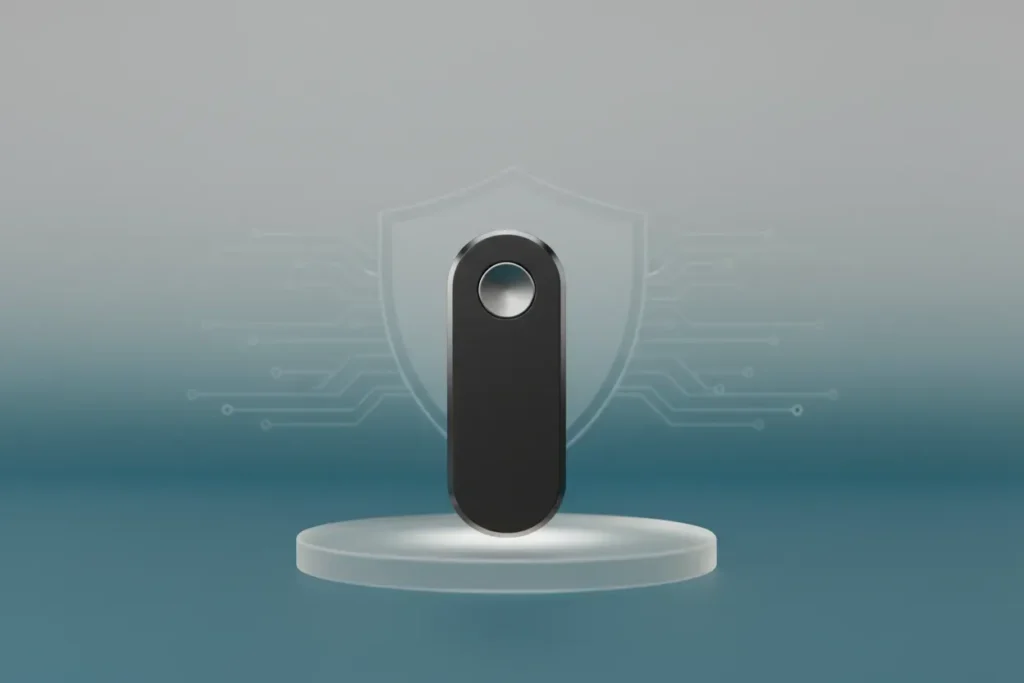
My best advice is to stop using your phone number for security and switch to a physical hardware security key or a dedicated authenticator app. It changes the dynamic entirely. Even if a hacker manages to snag your credentials, they can’t get into your accounts without that physical device or a specific, encrypted code. You’re turning your identity into something you physically hold in your hand rather than just a string of characters you’ve memorized. That is a much harder barrier for anyone to breach.
If you want a practical starting point, go check out the website Have I Been Pwned. It’s a free, highly credible resource that shows you exactly which of your accounts have been leaked in past data breaches. Usually, seeing your own email address pop up on that list is the exact wake-up call people need. It makes you realize very quickly that those old security habits just aren’t going to protect your digital footprint in today’s world.

Practice Manual Verification Before You Act
If you sit down with a cybersecurity expert, they’ll probably hand you a laundry list of apps to download and settings to toggle. But here’s the truth about 2026: technology isn’t the weak link anymore. We are.
The most powerful security tool you own isn’t an encrypted app – it’s your own reaction time. We’re living in the golden age of the “Urgency Scam.” Whether it’s a text about a “missed delivery” or a panicked email from your “bank,” these threats all rely on one thing: getting you to act before you have a chance to think.
My #1 rule for staying safe is simple: Give yourself a mandatory 30-second pause. If a digital request feels like an emergency, that is your first red flag.
My Golden Rule: The “Manual Entry” Habit
This is the one habit that has saved me more times than I can count. Never click the link. Even if it looks perfect. Even if it has the right logo and your correct name.
The habit: If you get an alert saying your account is compromised, breathe. Close the app. Open your browser and manually type in the website address yourself – like yourbank.com. If there’s a real problem, that notification will be sitting right there in your secure dashboard. By refusing to take the “shortcut” someone sent you, you effectively bypass 99% of identity theft attempts.
The Resource Every Human Needs: Have I Been Pwned
Most of us have “digital ghosts” – old accounts from ten years ago that we’ve completely forgotten about. Those are ticking time bombs.
I always tell people to spend five minutes on HaveIBeenPwned.com. It’s a free, non-profit site that shows you exactly which data breaches your email has been caught in. It’s a sobering wake-up call, but it’s the best motivation I know to go back and delete those “zombie” accounts that are just sitting out there waiting to be exploited.
“Identity theft thrives on our obsession with convenience. We’ve been trained to click first and ask questions later. The best way to stay safe is to make yourself just a little bit more inconvenient to reach. Slow down, verify manually, and remember that if it’s truly an emergency, the bank will still be there 30 seconds from now.”

Revoke Unused Third-Party App Access
I’ve managed over $300M in digital ad spend and built AI systems that handle sensitive customer data across financial services, so I think about digital security constantly–not just for my business, but for everyone in my ecosystem.
One thing that’s saved my clients and my own company multiple times: audit your third-party app permissions every 90 days. When I was scaling CVRedi across LATAM, I found an old integration still had full access to our Google Workspace even though we’d stopped using it 8 months prior. That app had been breached and we had no idea we were exposed.
Go to your Google account settings right now and click “Third-party apps with account access.” You’ll probably find 15-20 apps you forgot existed. Revoke anything you don’t actively use. Same for Facebook, LinkedIn, Twitter–they all have a permissions dashboard buried in settings. I do this quarterly and always find 3-5 zombie connections that need to be killed.
The scariest part is that these apps often have permission to read emails, access contacts, or post on your behalf. One compromised integration can wreck your reputation faster than any password leak.

Audit Public Posts and Personal Details
Be mindful of what you post to the public, even in locked profiles. Information as personal as age, city, family name, or daily activities can reveal your identity or help reset passwords. In my time working in digital marketing, the majority of account takeovers came from oversharing, not hacking. If you don’t need it, it’s okay not to have it on your profile. Treat personal data as a valuable asset – because after all, that’s what it is: once you share it, you can’t get it back, and you accumulate quite a lot of it surprisingly quickly across platforms.
Do a quarterly review of your social profiles. Google and search your name, see your bios, and remove the information that could lead someone to a security question or location. It’s just 15 minutes long and deliberately covers a blind spot many ignore.

Opt Out of Data Brokers
Hi! I’m James Wilson from MyDataRemoval. We fight for privacy by spreading awareness on personal cybersecurity and by removing information from hundreds of data brokers.
One tip I’d give to individuals who are trying to protect their online identities is to opt out of data brokers and people search websites. These are companies that collect and sell your information. They have access to various sources, including public records, social media, search history, and more. These companies can get hacked, compromising the data they collected on you. So, no matter how good your cybersecurity practices are, your digital security remains at risk due to data brokers, making it essential to opt out.

Freeze All Bureaus and IRS PIN
Most people stop at freezing credit with the big three bureaus. That covers loan applications but leaves gaps. ChexSystems handles bank account verifications. LexisNexis powers background checks and insurance quotes. If a thief opens a checking account or files a fraudulent insurance claim in your name, those freezes do nothing.
The practical step: freeze all five. Equifax, Experian, TransUnion, ChexSystems, LexisNexis. Then get an IRS identity protection PIN so nobody can file taxes using your Social Security number. Takes about an hour total. 58% of identity theft victims were already using multi-factor authentication before the incident. The basics aren’t enough anymore.

Lock Down Social Privacy Settings
Digital identity protection often comes down to reducing silent risk that builds over time. One strong habit is locking down social media privacy settings. Many people do not realize how much data public profiles expose. Details like birthdays, job history, and location patterns can help attackers guess passwords or answer security questions. When this information stays public for years, it creates an easy trail for misuse. Treat social profiles as living records that need regular care, not as set and forget pages.
A practical step is to review privacy settings twice a year. Remove older posts that share personal details without adding value today. Limit who can see connections, activity, and past updates. Also stop using social logins for new apps to reduce data sharing at the source. These small actions lower exposure without changing daily habits. Real protection comes from awareness, simple routines, and closing unnecessary doors across the digital footprint.

Let Automation Watch Account Security
One practical tip I share with our team and clients is to use a password manager with automated alerts for breaches. For example, a case study on our blog showed how a single workshop owner avoided a potential security disaster after our recommended password manager flagged a supplier account that had been compromised. By reacting quickly, they prevented financial loss and safeguarded customer data, showing that simple tech tools can have an outsized impact.
It is important to note that human error remains the biggest vulnerability online. By pairing strong SaaS tools with automated alerts, individuals can cut risk dramatically without slowing down their workday. From my experience, the most overlooked resource is automation itself. Letting technology watch over your accounts gives you both security and peace of mind.

Separate Browsers to Compartmentalize Activity
From my experience building enterprise-grade stealth technology at Olib AI, here’s the most overlooked digital identity protection:
Use compartmentalized browsing environments for different aspects of your life.
Most people use one browser for everything—banking, social media, shopping, work. This creates a unified digital fingerprint that tracks you across the web.
Instead:
Separate your identities: Use different browsers or browser profiles for banking, personal browsing, work, and social media
Why it matters: Each browser has a unique fingerprint (Canvas, WebGL, fonts, timezone, WebRTC). Mixing activities lets trackers build a complete profile of you
Practical implementation:
Firefox for banking (strict tracking protection)
Chrome/Brave for general browsing
Safari for shopping
Separate profiles within browsers for different purposes
Bottom line: Your digital identity isn’t just passwords—it’s your browser fingerprint, browsing patterns, and cross-site tracking. Compartmentalize ruthlessly.
— Fakrul Hasan Sarker, CMO, Olib AI

Build Authority to Shape Search Results
I always tell clients that your digital identity starts with controlling what shows up when someone Googles your name. After 28 years in digital marketing, I’ve seen countless professionals lose opportunities because negative or irrelevant content dominates their search results.
My practical tip: Create and optimize a personal LinkedIn profile, professional website, or industry blog with your target keywords. Google rewards fresh, relevant content. When you consistently publish valuable insights in your field, you’re not just building authority, you’re actively pushing down any unfavorable results.
“Your online reputation isn’t what happens to you, it’s what you actively create.” Monitor your name monthly using Google Alerts and take action immediately when something concerning appears.

Strengthen Identity with Real-World Proof
One of the most practical ways individuals can protect their digital identity today is by anchoring their online presence to verifiable, real-world activity.
People increasingly trust what can be cross-checked offline: a real business address, visible work, consistent identity across platforms, and documented outcomes. Anonymous profiles or overly polished digital personas are easier to fake; grounded presence is not.
In service industries like renovation in Dubai, we’ve seen this clearly. Clients are far more confident when they can trace who is responsible, where the work exists physically, and how decisions were made before execution. That same principle applies online. Own fewer platforms, but own them properly with consistent naming, updated profiles, and clear proof of work.
One practical habit is to regularly audit your digital footprint: search your own name or brand, review outdated pages, and remove or correct anything that no longer reflects your current role or responsibilities. This reduces impersonation risk and strengthens trust signals.
Digital identity isn’t protected by hiding; it’s protected by clarity, consistency, and real-world accountability. The stronger the connection between what you show online and what exists offline, the harder it becomes to misuse or misrepresent your identity.

Limit Location Exposure across Services
Stop thinking of location as merely GPS—think of it as BEHAVIORAL DATA. Many involve shutting down the sharing of location data through apps, but you can still be more easily identified by patterns of activity. In most in-app settings, I keep the “only while using” setting to protect my privacy. This reduces the predictability of my digital footprint and lessens the vulnerabilities associated with my location and private data.
For maximum privacy, review the location data your phone has collected in a privacy dashboard, and disable any apps that are using that information so they can’t continue tracking you. Their settings need to be set to limited access. Make sure to use separate location-tracking apps to perform sensitive actions, like banking or healthcare. As a result, mapping your routines and vulnerabilities becomes more challenging.